Control Flow in JavaScript
If, Else, and Switch Explained
In programming, control flow determines which part of the code runs and in what order. Programs often need to make decisions based on conditions, just like humans do in daily life.
If it rains → take an umbrella
If age ≥ 18 → allow voting
If marks ≥ 90 → grade A
JavaScript uses control flow statements like if, else, and switch to handle these decisions.
1. What Control Flow Means in Programming
Control flow refers to the order in which statements or instructions are executed in a program.Normally, code runs from top to bottom.
console.log("Step 1");
console.log("Step 2");
console.log("Step 3");

Step 1
Step 2
Step 3
But sometimes we want code to run only when certain conditions are true.
That is where control flow statements are used.
2. The if Statement
The if statement executes code only if a condition is true.
if (condition) {
   // code to run if condition is true
}
//Check if a person can vote
const age = 20;

if (age >= 18) {
  console.log("You can vote");
}

//You can vote
JavaScript checks the condition
age >= 18Since
20 >= 18is true, the code runs. If the condition is false, nothing happens.
3. The if-else Statement
The if-else statement allows the program to choose between two paths.
if (condition) {
   // runs if true
} else {
   // runs if false
}
// Check if number is even or odd

const number = 7;
if (number % 2 === 0) {
  console.log("Even number");
} else {
  console.log("Odd number");
}

// Odd number
%is the modulus operatorIt returns the remainder after division
7 % 2 = 1→ not divisible by 2 → odd
4. The else if Ladder
Sometimes we need multiple conditions, not just two. In this case we use the else-if ladder.
if (condition1) {
   // code
} else if (condition2) {
   // code
} else if (condition3) {
   // code
} else {
   // default case
}
// Example: Student grading system

const marks = 85;
if (marks >= 90) {
  console.log("Grade A");
} else if (marks >= 75) {
  console.log("Grade B");
} else if (marks >= 50) {
  console.log("Grade C");
} else {
  console.log("Fail");
}
// Grade B
JavaScript checks conditions from top to bottom and stops when one condition is true
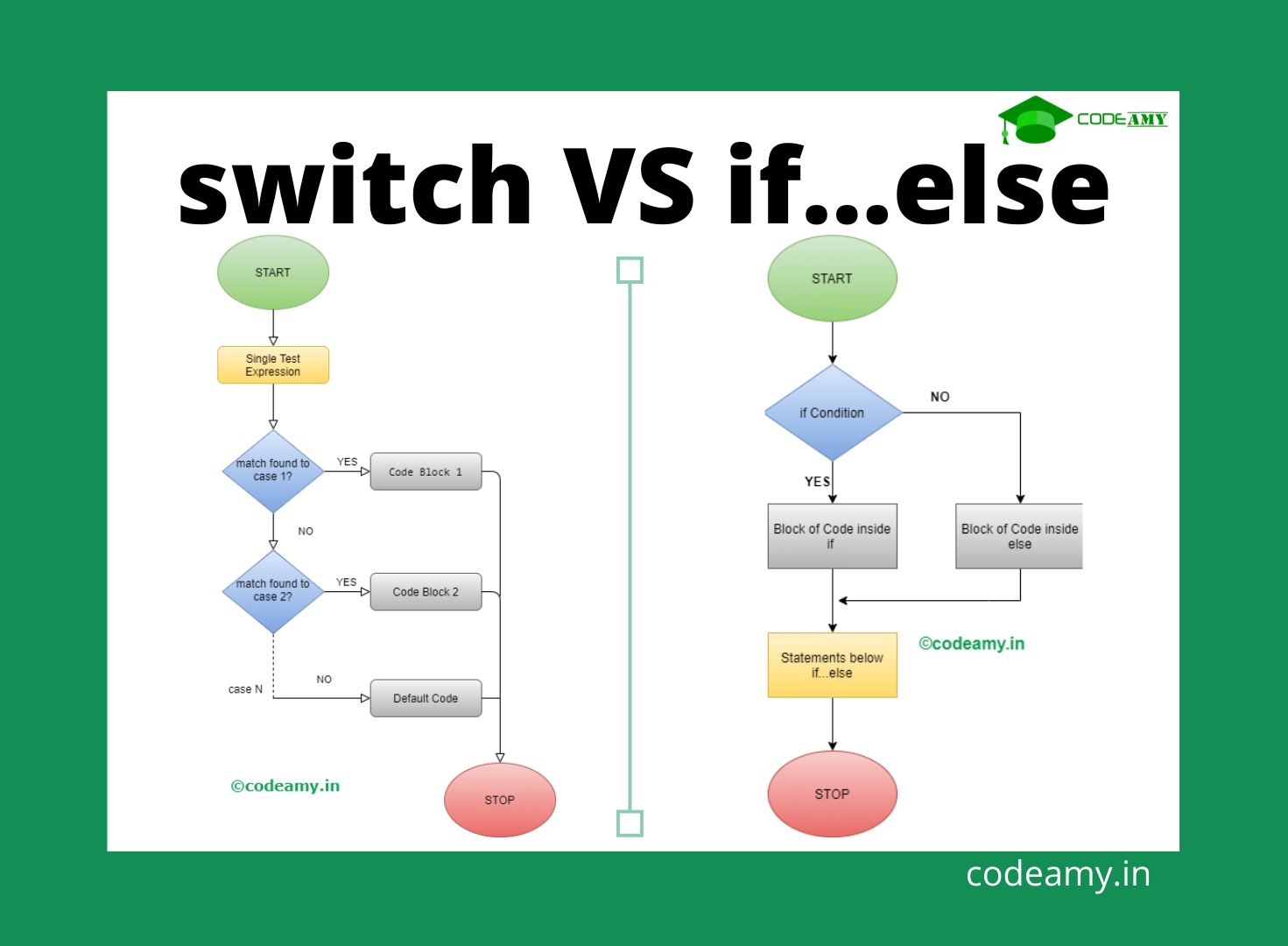
Flowchart of If-Else Decision Making
        Start
          |
       Check condition
          |
      ---------
      |       |
    True     False
      |        |
 Execute A  Execute B
      |
      End
5. The switch Statement
The switch statement is used when we want to compare one value against many possible cases.
switch(expression) {
  case value1:
    // code
    break;

  case value2:
    // code
    break;

  default:
    // default code
}

// Example: Day of the week

const day = 3;
switch(day) {
  case 1:
    console.log("Monday");
    break;
  case 2:
    console.log("Tuesday");
    break;
  case 3:
    console.log("Wednesday");
    break;
  case 4:
    console.log("Thursday");
    break;
  default:
    console.log("Invalid day");
}
//Wednesday
Why break is Important in Switch
The break statement stops the switch from continuing to the next case. Without break, JavaScript will execute the next cases as well.
const day = 1;

switch(day) {
  case 1:
    console.log("Monday")

  case 2:
    console.log("Tuesday")
}
// Output is
Monday
Tuesday
This is called fall-through behavior.
Switch-Case Branching Diagram
            Switch(expression)
                  |
      -----------------------------
      |        |        |        |
    case1    case2    case3   default
      |        |        |        |
   Code A   Code B   Code C   Code D
The program selects one matching case and executes it.
1. Check Positive, Negative, or Zero
const number = -5;

if (number > 0) {
  console.log("Positive number");
} else if (number < 0) {
  console.log("Negative number");
} else {
  console.log("Zero");
}
- Used if-else ladder because we are checking ranges of values.
2. Print Day Using Switch
const day = 5;

switch(day) {
  case 1:
    console.log("Monday");
    break;

  case 2:
    console.log("Tuesday");
    break;

  case 3:
    console.log("Wednesday");
    break;

  case 4:
    console.log("Thursday");
    break;

  case 5:
    console.log("Friday");
    break;

  default:
    console.log("Invalid day");
}
- Used switch because we are comparing one value with multiple exact options.